
Simplex File Organizer
Organize your files automatically.
Organize large collections of files using custom rules, extension groups, and automation.
Lifetime — $3.99 one-time
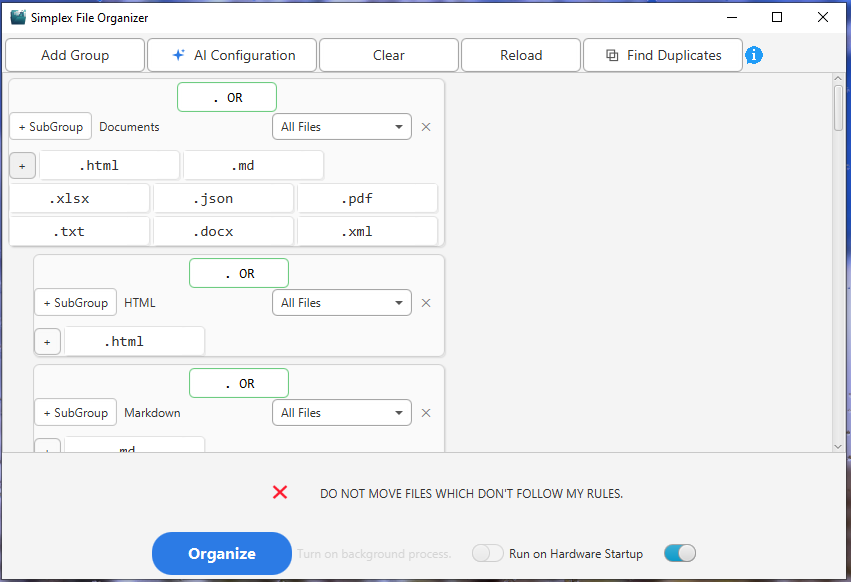
Custom Rules
Organize files your way.
Background Automation
Keep folders organized automatically.
AI Configuration
Let AI help create your organization rules.
Undo
Reverse organization when needed.
Stop organizing files manually.
Large folders can quickly become difficult to manage. Files accumulate, the same sorting work gets repeated, and manually moving everything into the right folders takes time.
Large collections of files
Repetitive manual sorting
Files arriving continuously
Complex organization requirements
Define the rules. Drop the folder. Let Simplex do the work.
Create your rules
Group extensions and define how files should be organized.
Select a folder
Drag and drop the folder you want Simplex to organize.
Organize
Simplex moves the files according to your rules.
See Simplex in action.
See how Simplex takes a folder and organizes its contents according to your rules.
Built for the way you organize files.
Extension Groups
Group multiple file extensions together and organize them into dedicated folders.
Multiple Extensions
Define groups using multiple file extensions.
Nested Groups
Create structures such as Images → PNG or Documents → PDF.
OR Rules
Match files against multiple extensions within a rule.
NOT Rules
Exclude specific extensions when defining what a group should contain.
Drag & Drop
Drop a folder into Simplex and start organizing it.
Undo
Reverse an organization operation when needed.
Background Processing
Let Simplex continue processing while you work.
System Tray
Keep Simplex available without keeping the main window open.
Keep folders organized automatically.
Background automation lets Simplex continue organizing files without requiring you to repeatedly start the process yourself.
Let AI help configure your organization.
Simplex can use AI to help create an organization configuration based on the files you want to organize.
Simple rules when you need them. Powerful rules when you don't.
Group with multiple extensions
├── PNG
├── JPG
└── WEBP
Nested group
├── DOCX
└── TXT
OR rule
NOT rule
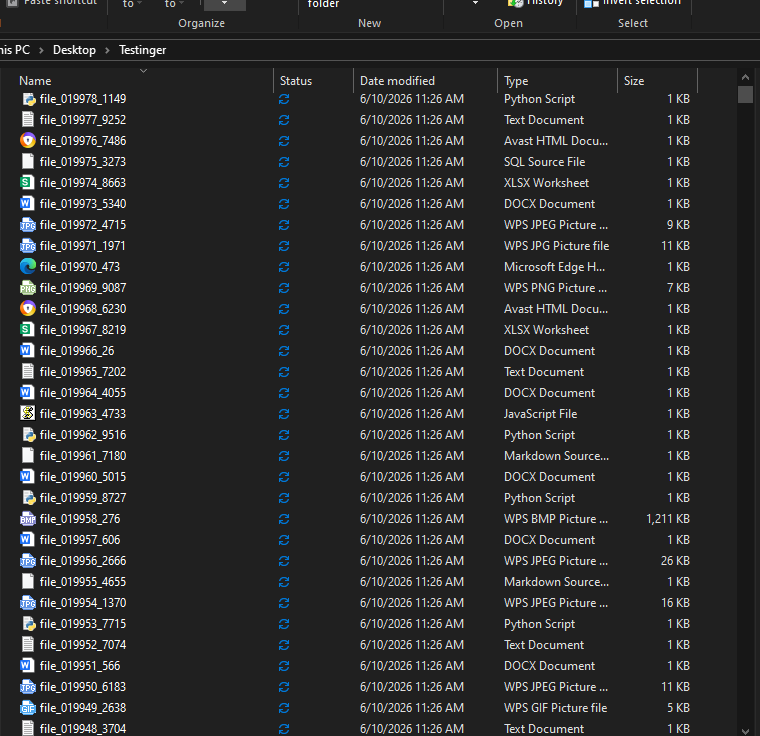
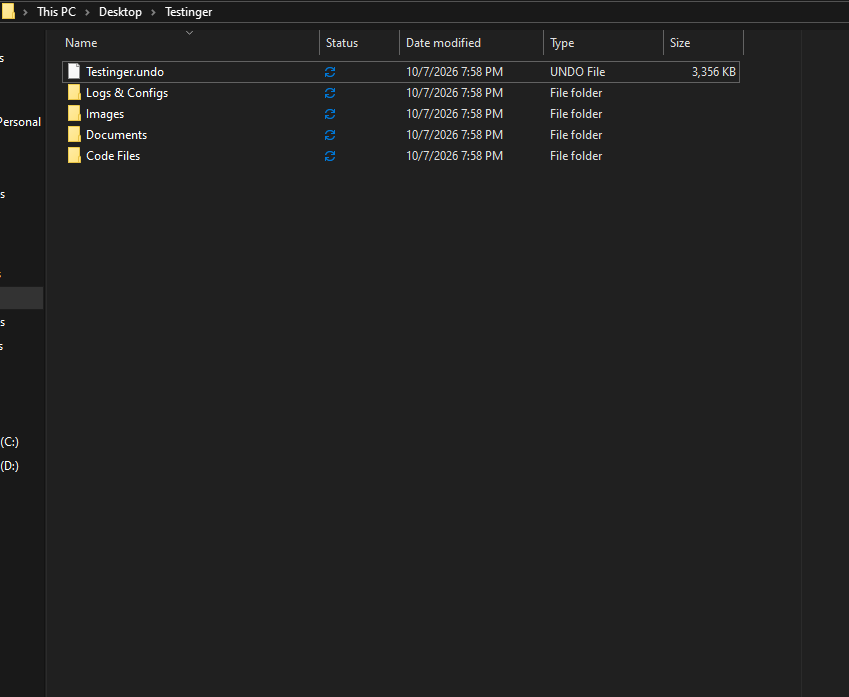
Built for large file collections.
See Simplex organize a real collection containing thousands of files.
From scattered files to a clear structure.
Built for people who work with lots of files.
Developers
Organize project-related files and downloads.
Designers
Keep images and assets easier to manage.
Content creators
Organize large collections of media and project files.
Students
Keep documents, assignments, and downloads structured.
Office users
Reduce repetitive manual file organization.
System requirements
- Operating system
- Windows 10 / 11 (64-bit)
- Architecture
- x64
- Runtime
- Included with the application
- Storage
- ~103 MB available space
Choose the license that fits you.
Lifetime
Full version plus all features.
Covers one user on up to 3 devices.
Includes bug and security fixes for the purchased version.
Frequently asked questions
What is Simplex File Organizer?
What operating systems does Simplex support?
How many devices can I use?
Can I create my own extension groups?
Can I use multiple extensions in one group?
Does Simplex support OR rules?
Does Simplex support NOT rules?
Can I create nested groups?
Can I undo an organization?
Does Simplex organize files automatically?
What is AI Auto Configuration?
Does Simplex include AI configuration?
What does the $3.99 license include?
How does licensing work if I change computers?
Ready to organize your files?
Create your rules, drop in a folder, and let Simplex handle the organization.
Early Adopter — $9.99 for the first year